Testing SMTP Mail Flow Using Exchange 2007 Pickup Folder
Neil fromhttpsmsexchangeorghttpsmsexchangeorgblogs about using simple text files to test Exchange 2007 SMTP mail flowIf you dont ne...

Neil from https://msexchange.org blogs about using simple text files to test Exchange 2007 SMTP mail flow.
If you don’t need to use text files, I recommend using this simple method using telnet (4 variables in bold):
telnet mailservername 25
ehlo
mail from: [email protected]
rcpt to: [email protected]
data
test message text
. #must do single period then enter to end
Note - If you have Windows Vista - You may need to add telnet.exe it from Windows Components under Control Panel > Programs…it’s not installed by default Vista install. Here is part of the article:
… As I stated earlier in this article, the pickup folder is used to send email messages through the Exchange 2007 system simply by placing the email messages into the pickup folder. The email messages can be created in a simple text editor such as Notepad, saved as a file with a .eml extension and then placed into the pickup folder for processing. The actual message contents must be formatted correctly to be processed. An example of a simple text message is shown below in Figure 3. Note the fact that the filename is message.eml. For Exchange 2007 to process the message correctly, the file has to have a .eml extension.
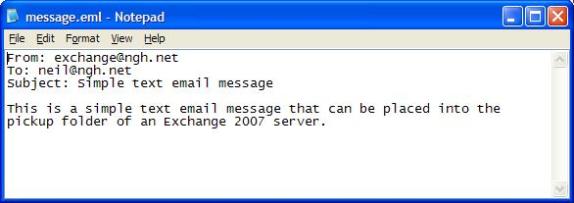 Figure 3: Sample Mail Message
Let’s look at what happens when the file message.eml is copied to the pickup folder. First, you’ll see the message.eml file listed briefly in the folder before it is renamed to message.tmp as you can see in Figure 4. In my experience, this process occurred within 5 seconds of submission of the file to the folder. Assuming everything is configured correctly with regards to the formatting of the message, Exchange will then process it accordingly. The result will be, hopefully, that the message is delivered to the correct address as you can see from Figure 5. Interestingly, I noted that the .tmp file is locked open and cannot be opened via Notepad; efforts to do so resulted in an Access Denied error message.
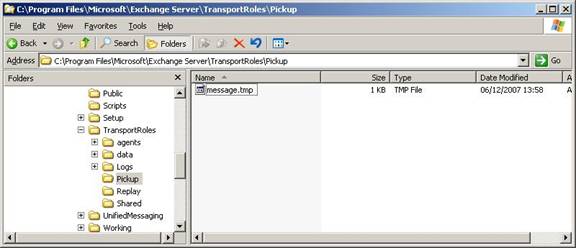 Figure 4: Conversion To .TMP File
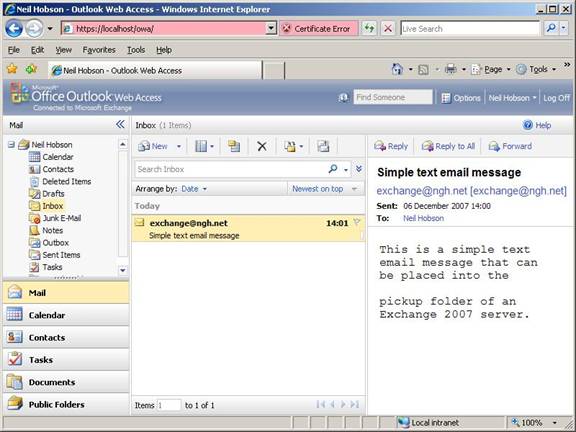 Figure 5: Delivered Message
These .tmp files are cleaned up automatically by the system on a periodic basis. It seemed logical to me that the Microsoft Exchange Transport service would be responsible for processing messages from the pickup folder so I was curious to know what happened if this service was stopped and restarted before the .tmp files were removed. Interestingly, with a previous .tmp file still existing in the pickup folder, I stopped and restarted the Microsoft Exchange Transport service and noted that any existing .tmp files were removed.
…
Read the complete article on MSExchange.org @> The Exchange Pickup Folder Learn more about our On-Prem Exchange Consulting.