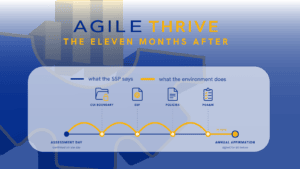
Scope is the one CMMC decision you pay for twice when it is wrong. You pay once to build the boundary, and again to move it after assessment prep, a prime’s questionnaire, or your own Affirming Official finds CUI on the wrong side of it.
Every other part of a Level 2 program inherits that boundary. The System Security Plan (SSP) describes it, the 110 NIST SP 800-171 requirements are implemented inside it, and the score your organization posts in the Supplier Performance Risk System (SPRS) speaks for it.
The rules for drawing it are written down. They sit in 32 CFR 170.19, the DoW CIO’s CMMC Level 2 Scoping Guide, version 2.13, and Section F of the CMMC Program FAQ, Revision 2.4. Below, we apply those documents to the Microsoft environments defense contractors run.
The Timeline Moved. The Scoping Rules Did Not.
The Department of War suspended CMMC Phase II on July 13, 2026. However, the same release keeps every Phase I Level 2 self-assessment requirement in place, and the DoW CIO’s implementing memo states that the requirements in DFARS 252.204-7012 remain in effect.
A Level 2 self-assessment is scoped under 32 CFR 170.19, the same section that governs a Level 2 third-party certification assessment. Moving the third-party date did not change the scope of what is assessed for a Level 2 certification nor does it change what belongs inside the certification boundary.
In both cases, your organization draws the boundary, and your Affirming Official affirms it in SPRS under 32 CFR 170.22. In a certification assessment, a third-party assessor validates that scope; it does not set it. The affirmation is a representation to the government either way.
Trace the Data Before You Draw the Boundary
Scope starts with where CUI goes. The server room and the org chart come later, if at all.
Start from the contracts carrying DFARS 252.204-7012 and list what each one delivers to you: drawings, specifications, technical data, test results. Your contract with the government or prime contractor should clearly articulate what will be considered CUI; if those details are lacking, it is worth the conversation to see if you can get more clarity. 32 CFR Part 2002 provides a general definition of what counts as CUI, and the DoW’s CUI Quick Reference Guide provides guidance on marking CUI.
Then follow one CUI item from arrival to destruction. A drawing that comes in by email lands in a mailbox, gets saved to a OneDrive folder, syncs to a laptop, goes to a shared Teams channel for review, and prints on the plotter by the shop floor. Every system that stores, processes, or transmits CUI needs to be tracked as a CUI Asset.
Two FAQ answers close the usual escape routes. CUI stays CUI when encrypted (B-A8), and hard-copy CUI joins the information system the moment someone scans, photographs, uploads, or emails it (C-A11).
Scope diagrams have a long tradition of describing the network someone intended to build. The data flow describes the one that exists.
Only Out-of-Scope Assets Need Separation
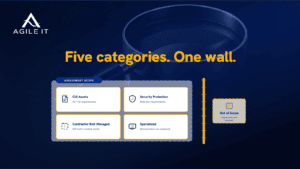
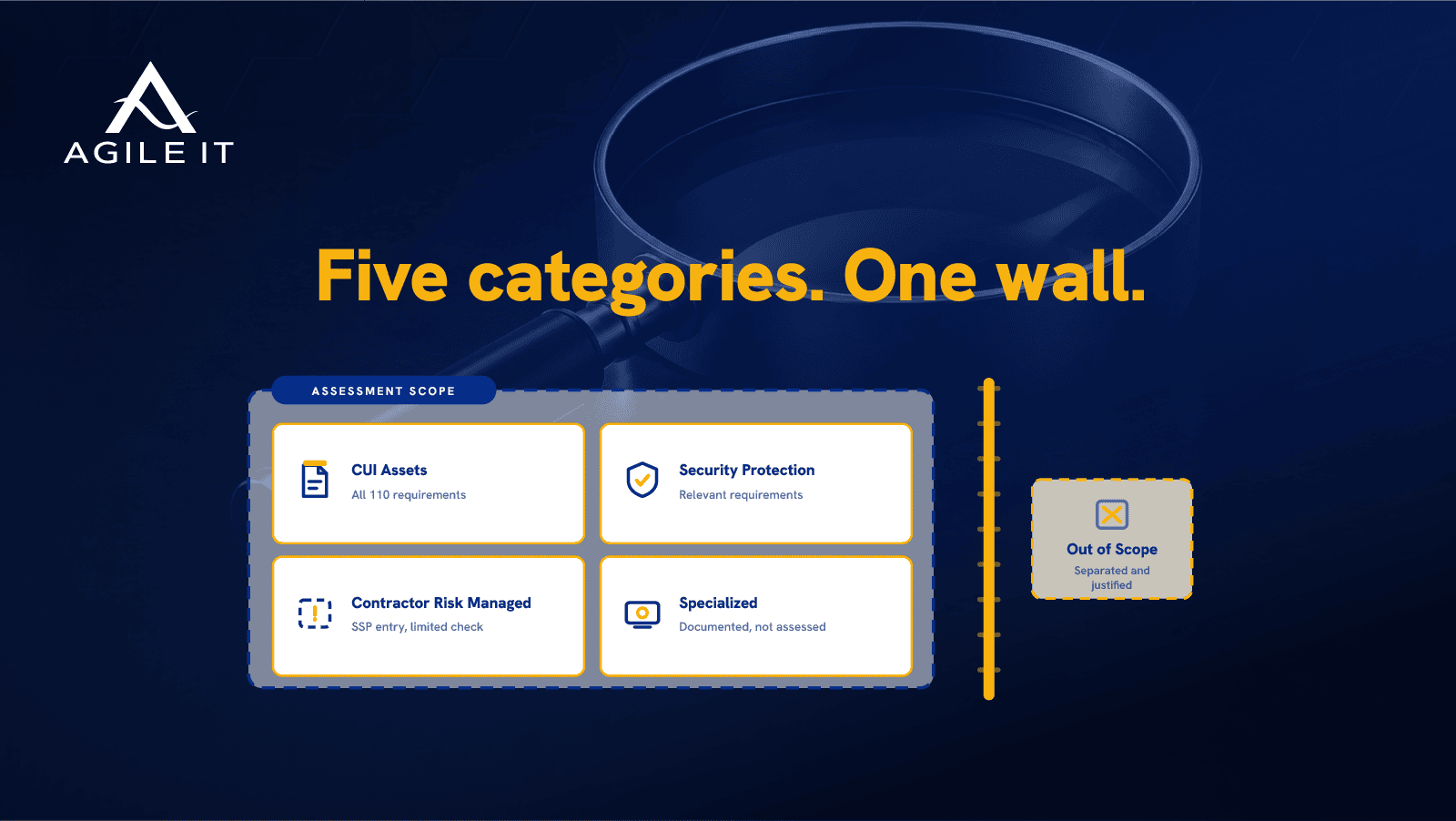
The Scoping Guide sorts every asset into one of five categories, and the assessment treatment differs sharply between them.
| Category | What it is | How it is assessed |
| CUI Assets | Process, store, or transmit CUI | Against all Level 2 security requirements |
| Security Protection Assets | Provide security functions or capabilities within the assessment scope | Against the Level 2 requirements relevant to the capabilities provided |
| Contractor Risk Managed Assets | Not intended to, but capable of, processing, storing, or transmitting CUI | Reviewed through the SSP; the assessor can run a limited check, and assets insufficiently documented in the SSP are assessed against CMMC requirements |
| Specialized Assets | Government Furnished Equipment, operational technology, restricted information systems, test equipment, IoT and IIoT | Documented in the SSP as managed under the organization’s risk-based policies; not assessed against the CMMC L2 requirements |
| Out-of-Scope Assets | Cannot process, store, or transmit CUI, provide no security protection for CUI Assets, and are physically or logically separated from CUI Assets | Not assessed; the organization justifies why they cannot handle CUI |
Source: CMMC Level 2 Scoping Guide v2.13, Table 1 and pages 5 to 9.
One sentence in the guide settles an argument that keeps recurring: “Effective separation involves logically or physically separating assets and is required only for Out-of-Scope Assets.” A Contractor Risk Managed Asset does not need a dedicated network or a firewall between it and your CUI. It needs an SSP entry that holds up.
The guide also closes the loophole in the other direction: “An asset that falls into any in-scope asset category cannot be considered an Out-of-Scope Asset.” Calling a laptop out of scope does not make it out of scope if it can reach CUI in a file share.
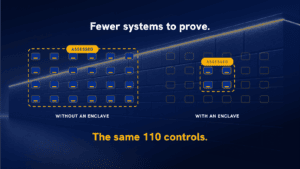
And it limits the reach of the rule. In its guidance on enclaves, page 12 of the Level 2 Scoping Guide states that enterprise-wide controls do “not mean all assets across the entire OSA enterprise are automatically part of a CMMC Assessment Scope.” Your organization makes the boundary decision and has to defend it, so make that decision deliberately.
Your Commercial Tenant Is in Scope Until Something Proves Otherwise
In the environments we assess before a migration, CUI is more often on premises than in the cloud. Someone downloads a drawing from a government web portal and saves it to a local file share, and from then on the file share, its server, its backups, and every workstation that opens it are CUI Assets. Other organizations are not yet handling CUI at all and are preparing for the contract that will bring it.
That matters for two reasons. The mailboxes, OneDrive accounts, SharePoint sites, and Teams chats holding CUI will be classified as CUI Assets, and the cloud service holding them has to meet DFARS 252.204-7012’s cloud requirement: security equivalent to the FedRAMP Moderate baseline (FAQ E-A1). Encrypting the files first does not change the requirement that a cloud service provider be FedRAMP moderate approved (E-A2).
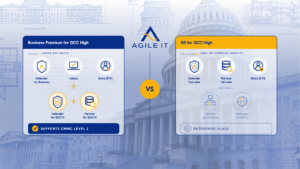
Microsoft’s own DFARS compliance documentation names Azure Government, Office 365 U.S. Government, and Office 365 U.S. Government Defense as the services where it supports the 7012 requirements that apply to cloud service providers. It makes no such statement for commercial Microsoft 365.
So the first scoping question in a Microsoft environment is a plain one: Where do you intend to hold CUI? The answer decides whether you are scoping a stand-alone environment or planning a migration.
There are two common answers to where it should go instead. Move the whole organization into GCC High, or move the part of it that handles CUI into a GCC High enclave and keep the commercial tenant for everyone else. We covered the second path in moving one division into GCC High.
The Microsoft Asset Map
This is the table we wish every organization had before its first scoping workshop. It maps common components of a Microsoft environment to the category they usually land in. Your environment decides the final answer, and the reason column is what the SSP has to say.
| Component | Usual category | Why |
| GCC High tenant workloads holding CUI (Exchange Online, SharePoint, OneDrive, Teams) | CUI Asset | They store, process, and transmit CUI |
| Commercial Microsoft 365 tenant where CUI has landed | The MS Commercial environment does not satisfy the requirements of the DFARS 7012 (a)-(g) clauses and it not able to hold CUI. CUI in the Commercial environment needs to be moved to a FedRAMP moderate or moderate equivalent environment. | It holds CUI; plan to move the data and confirm the cloud requirement in DFARS 7012 |
| Commercial tenant kept for non-CUI work after a GCC High enclave is built | Out-of-Scope Asset, if separation holds and policy prohibits CUI. If still logically connected to the CUI network, the assets may need to be considered Contractor Risk Managed Assets. | Out-of-scope status requires separation; identity sync and admin overlap get examined Contractor Risk Managed Assets can access CUI, but have policy or technical controls limiting their access. These assets need to be identified in the asset inventory and addressed in the SSP |
| Entra ID in the GCC High tenant | Security Protection Asset | Provides authentication and access control for CUI Assets |
| Microsoft Defender and Microsoft Sentinel monitoring CUI Assets | Security Protection Asset | The guide lists cloud-based security and SIEM tools as examples |
| Intune managing devices that handle CUI | Security Protection Asset | Enforces configuration and compliance on CUI Assets |
| Managed laptops and desktops that store or process CUI | CUI Asset | They store or process CUI |
| Azure Virtual Desktop or Windows 365 session hosts | The cloud environment hosting the VDI is a CUI Asset; the endpoint is out of scope. | CUI is processed inside the VDI session; per the Level 2 scoping guide, VDI endpoints are out of scope. |
| Unmanaged device reaching the virtual desktop | Out-of-Scope Asset only under FAQ F-A1 and F-A2 conditions; otherwise CUI Asset | Depends entirely on verified server-side configuration |
| Corporate laptops that policy bars from CUI but can reach it | Contractor Risk Managed Asset | Capable of handling CUI, not intended to; must be documented in the asset inventory and SSP |
| Shop-floor CNC machines and test equipment | Specialized Asset | Operational technology and test equipment are named categories. Must be recorded in the asset inventory and SSP must address their security protections. Not required to meet CMMC L2 requirements |
| Printers, plotters, and scanners that handle CUI | CUI Asset | They process CUI |
| IT provider administering the tenant | External Service Provider, assessed in your scope | FAQ E-A4 |
| Cloud backup holding copies of CUI | CUI Asset; any cloud service must meet the FedRAMP Moderate or equivalency requirements | FAQ E-A1 and E-A2 |
An Enclave Narrows Scope When the Separation Is Real
An enclave—or a subset of the organization that is set up to store or process CUI—puts CUI and the people who handle it inside a smaller boundary, so the rest of the organization stays outside it. In Microsoft terms that usually means establishing a GCC High tenant for the specific staff that need to handle CUI, alongside a commercial tenant for the remainder of the organization.
The FAQ sets two rules for that design. Encryption alone does not create logical separation, because logical separation “occurs when data transfer between physically connected assets… is prevented by non-physical means such as software or network assets” (F-A3). And properly encrypted CUI can cross enterprise networking components without pulling them into scope, “so long as the enclave is otherwise logically separated” (F-A4).
“Otherwise” is where enclaves get tested. Cross-tenant identity sync, shared administrator accounts, mail forwarding rules between tenants, and a SharePoint site shared across the boundary for convenience are each open paths that the SSP needs to account for.
An enclave also has a running cost. Some users carry two identities and two mailboxes for accessing both the commercial tenant and the GCCH tenant. IT maintains two collaboration environments, and sooner or later a file lands in the wrong one because nobody labeled it. Aan enclave is an attractive choice because the CUI footprint is small and stable, however, you need to plan for additional overhead before the build.
A Virtual Desktop Keeps a Laptop Out of Scope Only When It Is Configured To
A virtual desktop is the most common way to keep unmanaged or loosely managed devices out of scope. The Level 2 Scoping Guide lists it under Out-of-Scope Assets in Table 1 (page 4): an endpoint hosting a VDI client “configured to not allow any processing, storage, or transmission of CUI beyond the Keyboard/Video/Mouse sent to the VDI client.” The CMMC Program FAQ (F-A1 and F-A2) spells out what that configuration requires:
- the session transmits only video, keyboard, and mouse data
- copy-paste, file transfers, and any other data exchange across the session are blocked on the server side, and the configuration prevents copying (including screenshots), saving, or printing CUI to the endpoint
- multifactor authentication to the virtual desktop server is separate from the unmanaged client, such as a hardware one-time password token or a PKI token with a PIN
- only authorized users reach the environment, from allowable locations
The FAQ is equally direct about the failure case: if the configuration lets the endpoint process, store, or transmit CUI, “the endpoint will be considered a CUI Asset and is in scope of the assessment.” It also adds that “proper configuration of the VDI client must be verified.” Verification means someone checked the server-side settings and the record shows it.
Azure Virtual Desktop and Windows 365 both expose controls for clipboard, drive and printer redirection, and screen capture protection. Microsoft Learn pages for AVD RDP properties and screen capture protection, pulled and checked the week this publishes. We compared the two for GCC High in AVD vs. Windows 365 in GCC High.
Your Providers Are Inside the Boundary Whether They Touch CUI or Not
The Scoping Guide states that “an External Service Provider (ESP) can be within the OSA’s scope of CMMC requirements.” The FAQ gives the case most organizations have: one provider runs IT support, another manages security tools, and no CUI goes to either. Both “will be assessed as part of the Organization Seeking Assessment’s assessment scope against applicable security requirements,” and neither needs its own CMMC certification (E-A4).
That puts your provider’s access model in front of the assessor. Who holds administrator rights in the tenant, how those rights are granted, and who approved the last change are questions your provider’s practices have to answer, in writing.
Whether a provider counts as a cloud service provider depends on the contract chain. If the tenant is licensed to your organization, a provider that resells or administers it is not a CSP (E-A5).
Agile IT is an ESP in every tenant we administer, and the same questions apply to us. A shared responsibility matrix that names who owns each requirement is how that gets answered before anyone asks.
Every Scope Change Goes to the Affirming Official
Scope does not stay drawn. A new contract brings new CUI, an acquisition brings a new tenant, and a new tool brings a new path for data to travel.
The FAQ places the call on whether a change is significant with the Affirming Official, who “bears the legal and contractual risk of continued compliance” (C-A12). It gives one bright line: a requirement assessed as N/A that becomes applicable after a change requires reassessment. Adding WiFi to a system that earned its status without WiFi is the FAQ’s own example.
For everything else, F-A5 lays out the sequence: a security impact analysis and a review of CUI flow before the change, an Operational Plan of Action during it, and an updated SSP after it. The annual affirmation under 32 CFR 170.22 then covers whatever the boundary has become.
A Defensible Scope Is a Set of Documents
The Scoping Guide asks for the same three things for every in-scope category: an asset inventory, treatment in the SSP, and a network diagram. Contractor Risk Managed and Specialized Assets add a description of the risk-based practices that manage them.
The contract side matters as much. Offerors identify every CMMC Unique Identifier (UID) used to handle FCI or CUI, the UIDs “must represent the scope of the CMMC assessment,” and any system not represented by them “cannot be used to process, store, or transmit FCI or CUI during contract performance” (C-A5).
The SSP is the anchor for all of it. Marking the SSP requirement (CA.L2-3.12.4) as Not Met produces “No CMMC Score” in SPRS (C-A10; 32 CFR 170.24).
Common Questions About CMMC Level 2 Scoping
Does a Level 2 self-assessment use the same scoping rules as a certification assessment?
Yes. 32 CFR 170.19 governs scoping for both, and the Level 2 Scoping Guide applies to both.
Is encrypted CUI out of scope?
No. Encrypted CUI keeps the designation of its plain-text counterpart under 32 CFR Part 2002 (FAQ B-A8), and a cloud service storing it still has to meet the FedRAMP Moderate requirement (FAQ E-A2).
Can devices that connect to a virtual desktop be out of scope?
Yes, when the virtual desktop is configured server-side to pass only video, keyboard, and mouse data, blocks copying, saving, and printing CUI to the endpoint, and uses multifactor authentication separate from the client (Scoping Guide, Table 1; FAQ F-A1, F-A2). The configuration must be verified.
Does our IT provider need its own CMMC certification?
No. A provider supporting your environment is assessed as part of your scope against applicable requirements and does not need its own certification (FAQ E-A3, E-A4).
Is every asset on our network in scope?
No. The Scoping Guide states that a defined scope does not automatically include every asset across the enterprise. Assets left out need to meet the Out-of-Scope definition, including separation from CUI Assets.
Does a Contractor Risk Managed Asset need to be separated from CUI Assets?
No. Separation is required only for Out-of-Scope Assets. Contractor Risk Managed Assets must be documented in the SSP, and the assessor can check them.
Pressure-Test the Boundary Before You Build Inside It
Every requirement your organization implements, documents, and affirms sits inside the boundary drawn at the start. Our engineers can walk your CUI flow against the Scoping Guide and the asset map above before the build starts, so the scope your SSP describes is the one you can defend.
Pressure-test your CMMC scope → CMMC readiness
If you traced one drawing from the email that delivered it to the place it lives today, how many systems would you name, and are all of them in your SSP?